
Nice — here’s a practical, ready-to-use step-by-step guide to start a graphic design business online. I kept it hands-on so you can follow and act on each step immediately.
1 — Decide your niche & services
- Pick 1–3 focused services so your marketing is clear. Examples:
- Logo & brand identity
- Social media graphics (Instagram carousels, reels covers)
- Marketing assets (banners, flyers, ads)
- Web/app UI assets and icons
- Print design (menus, packaging)
- Digital products (templates, Canva packs)
- Choose a target market (e.g., local cafés, ecommerce stores, influencers, SaaS startups, real estate agents). Narrow = easier to sell.
2 — Make sure your skills & tools are ready
- Core skills: layout, typography, color theory, composition, basic branding.
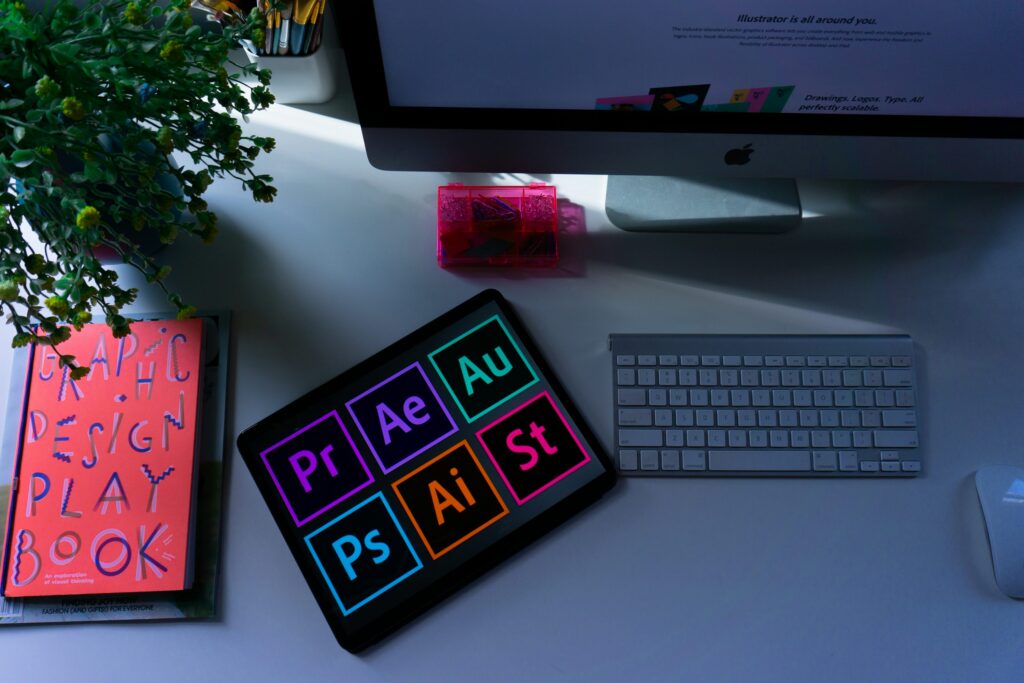
- Tools (pick what fits you): Adobe Photoshop/Illustrator/Indesign, Figma, Canva Pro, Affinity suite, Procreate for iPad. Use Figma/Illustrator for vector work.
- Learn quick client workflows: exporting specs, preparing print-ready files, PNG/SVG/JPEG optimization.
3 — Build a portfolio that sells (do this first)
- Create 8–12 strong pieces: real client work or spec projects (mock brands) that show process + outcome.
- For each project include: brief, your solution, files delivered, and the business result (example: “increased click rate” or “used in 3 ad campaigns” — even hypothetical is okay if labeled).
- Host portfolio on: Behance, Dribbble, a simple one-page site (Wix / Webflow / Squarespace), or GitHub Pages. Also create a PDF portfolio for sending.
4 — Package your services & price them
Offer clear packages (Avoid open-ended quotes).
Example packages (starter, standard, premium) — prices in USD (adjust to your market):
- Basic logo package: $50–$150 — 1 concept, 1 revision, deliver SVG + PNG.
- Brand kit: $200–$700 — 3 concepts, logo variations, colors, fonts, basic brand guide.
- Social media month pack: $120–$400 — 12 posts + 4 story templates.
- Website UI starter: $300–$900 — 3 page templates, icons, handover files.
Pricing tips:
- Charge per deliverable, not per hour, until you’re comfortable.
- For local markets, multiply USD prices to local currency or compare with local competitors.
- Always require a deposit (25–50%) before work starts.
5 — Set up your online presence (must-haves)
- Portfolio website (link in profiles).
- Fiverr / Upwork / Freelancer — for freelance clients.
- Instagram / Facebook business page — daily content + portfolio posts.
- LinkedIn — connect with local business owners.
- Behance & Dribbble — design discovery.
- Email: professional address (yourname@yourdomain.com).
- Payment: PayPal, Stripe, local bank transfer, Payoneer — make it easy for clients.
6 — Create sales assets & onboarding templates
Prepare these once and reuse:
- Service pages/gig descriptions (clear deliverables & timelines).
- Proposal template (scope, price, timeline, revisions, deliverables).
- Contract / terms (payment terms, copyright, revisions, cancellation).
- Intake form (project brief you send a client).
- Invoice template.
If you want, I can draft any of these for you.
7 — Find first clients (low-cost channels)
- Portfolio platforms: Behance/Dribbble lead to inbound inquiries.
- Marketplaces: Fiverr & Upwork (start with competitive pricing and great delivery to build reviews).
- Instagram: post process videos, before/after, carousel case studies, hashtags and DMs to prospects.
- Local outreach: message local shops, cafés, restaurants with tailored offers (“I can redesign your menu for X”).
- Facebook groups and Telegram channels for freelancers in your country.
- LinkedIn: message small business owners with a one-line value proposition + link to relevant sample.
- Cold email: short pitch + 1 relevant portfolio sample.
8 — Sales & client management process (repeatable)
- Discovery: short questionnaire + 15–30 min call.
- Proposal: send scope + price + deposit request.
- Contract: sign digitally (HelloSign / DocuSign) or attach terms.
- Work: share rough concepts → revisions → final files.
- Delivery: send final files + invoice.
- Ask for testimonial & referral.
9 — Operations, workflow & productivity
- File organization: use consistent naming and a shared folder template (ClientName_Project_Assets).
- Version control: keep original editable source files.
- Communication: centralize on email or Slack; limit scope creep by specifying revisions.
- Backups: cloud (Google Drive / Dropbox) + local backup.
10 — Legal & finance basics
- Register your business locally if required for invoicing and taxes.
- Track income/expenses in a spreadsheet or accounting app.
- Keep receipts for software subscriptions and advertising.
- Understand copyright: specify in contract who owns final assets and when ownership transfers (usually after full payment).
11 — Scale & grow (after you get traction)
- Create passive income: sell templates on Etsy, Creative Market, Gumroad, or your own site.
- Outsource repetitive tasks (e.g., social media scheduling, basic mockups).
- Raise prices as you gather 5+ strong testimonials and repeat clients.
- Package retainer services: monthly design retainer for ongoing social posts.
Quick launch checklist (copy & use)
- Pick niche & 3 services
- Create 8–12 portfolio pieces
- Build one-page website or Behance profile
- Create 3 service packages & price them
- Prepare proposal, contract, invoice templates
- Set up payment methods
- Publish 10 social posts (case studies/process)
- Pitch 20 local businesses / send 50 marketplace proposals
- Deliver 1st paid project & ask for review
Marketing ideas that convert
- Case-study posts showing before → after → result.
- Short video reels showing your process (30–60s).
- Offer a limited-time discounted “starter pack” to first 5 clients for reviews.
- Run a small ad campaign promoting a “brand refresh” bundle (if you can afford ads).
- Partner with web developers, copywriters, or printers for referrals.
Common pricing/pack mistakes to avoid
- Being vague about revisions or deliverables (specify counts).
- Undercharging because of fear — set a minimum you won’t go below.
- Free unlimited revisions — never do this.
- Not requiring a deposit.
Want ready-to-use templates?
I can immediately generate:
- A 1-page portfolio website copy
- 3 gig descriptions (Fiverr/Upwork)
- Proposal + contract template
- Client intake form
- 3-package pricing table in USD (and you can tell me if you want PKR)
I don’t think the title of your article matches the content lol. Just kidding, mainly because I had some doubts after reading the article.
Tell me your doubts
Can you be more specific about the content of your article? After reading it, I still have some doubts. Hope you can help me. https://accounts.binance.com/pt-PT/register-person?ref=KDN7HDOR
I don’t think the title of your article matches the content lol. Just kidding, mainly because I had some doubts after reading the article.
Can you be more specific about the content of your article? After reading it, I still have some doubts. Hope you can help me.
Thank you for your sharing. I am worried that I lack creative ideas. It is your article that makes me full of hope. Thank you. But, I have a question, can you help me?
Your point of view caught my eye and was very interesting. Thanks. I have a question for you. https://accounts.binance.com/da-DK/register-person?ref=V3MG69RO